Time tracking and budgets
By the end you'll be logging time on tickets, reading your timesheet and time reports, and getting a warning before a budget runs out.
Plan: Logging hours by hand is on every plan. The timer, timesheets, time reports and budgets are on Business.
Sprinty records only time and who logged it. Never screenshots, activity or idle time.
Use the timer
- Open a ticket.
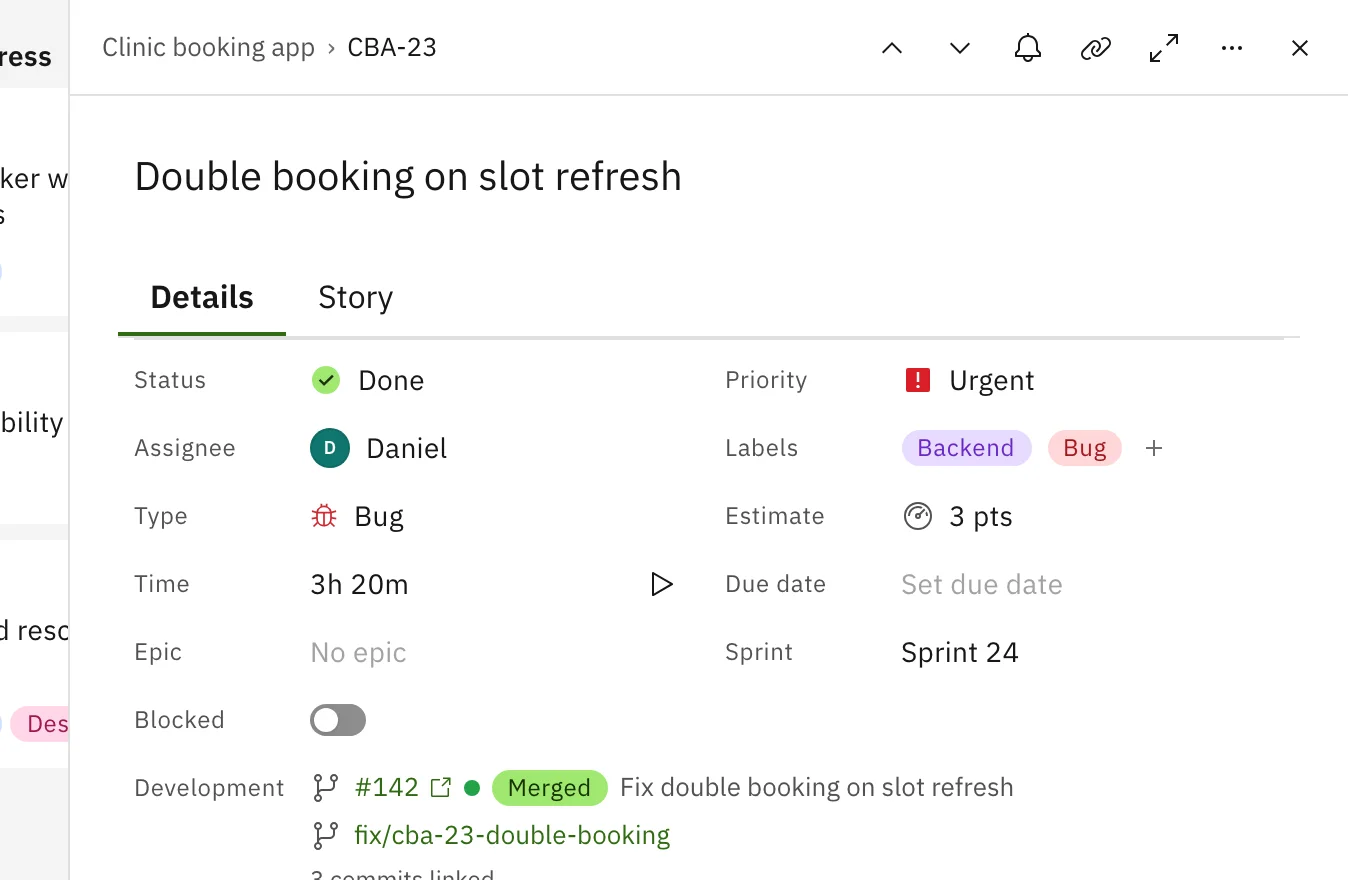
- On the Time row, select the play button to start the timer.
- Select it again to stop. The time is added to the ticket.
If a timer has been running for a long time, Sprinty asks Is your timer still running? so you can keep it or fix it.
Log time by hand
- Open a ticket and select Log time.
- Type how long you worked, for example
1h 30m, and add a Note (optional) if you like. - Select Log.
To log time on another day, add the ticket to your timesheet and enter the hours on that day.
Your timesheet
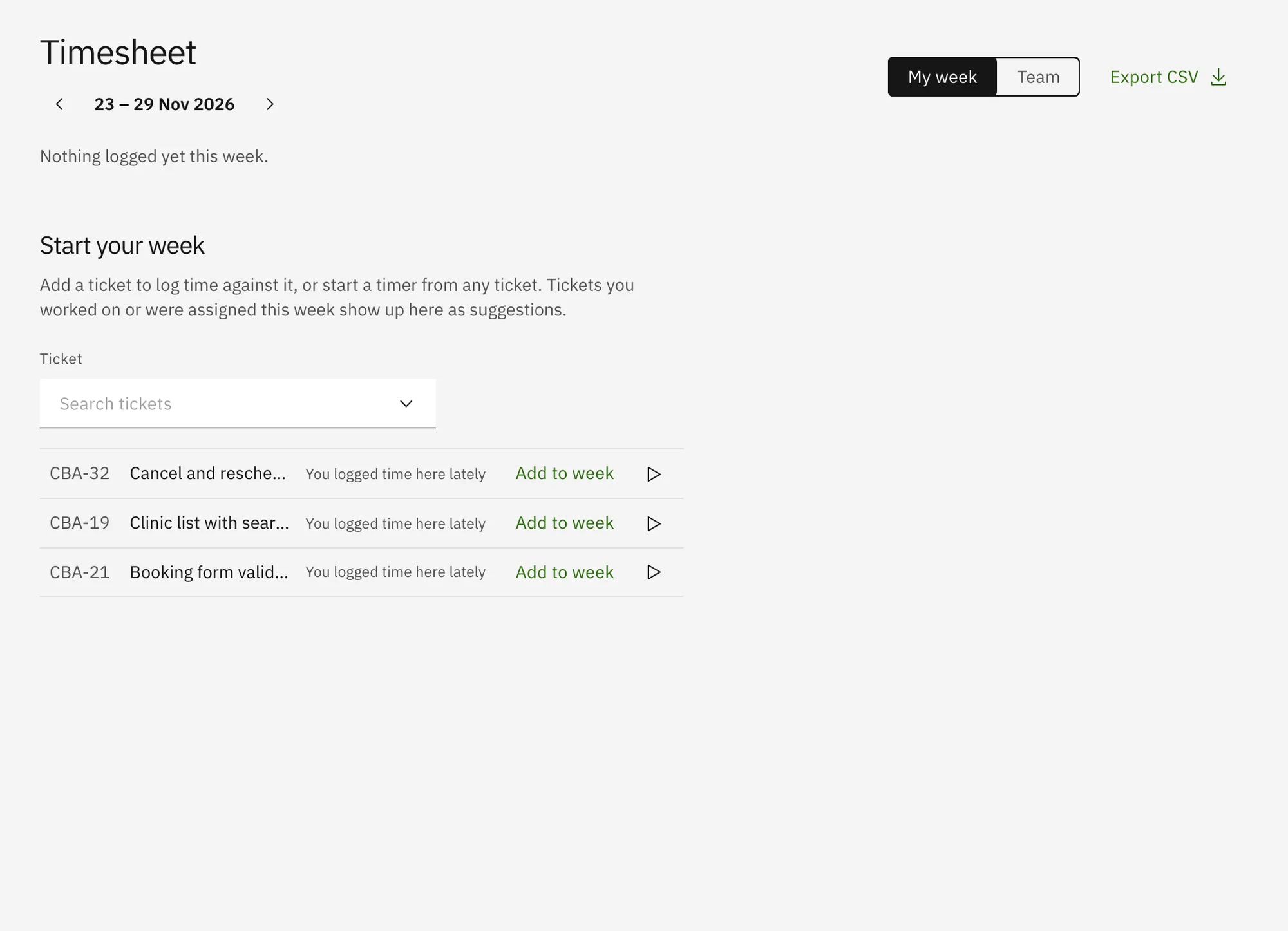
- In the sidebar, select Timesheet.
- My week shows what you logged each day. Add a ticket under Start your week to log time against it.
- Select Export CSV to download the week.
Admins and project managers also see Team, everyone's hours for the week. If your workspace turns on Timesheet approvals (in Members & Settings → General), people select Submit week and an admin approves it; approved weeks are locked.
Time reports
Open a project's Analytics and choose Time to see hours by person and by ticket. People who can't see everyone's hours see the project's totals and their own.
Set a budget
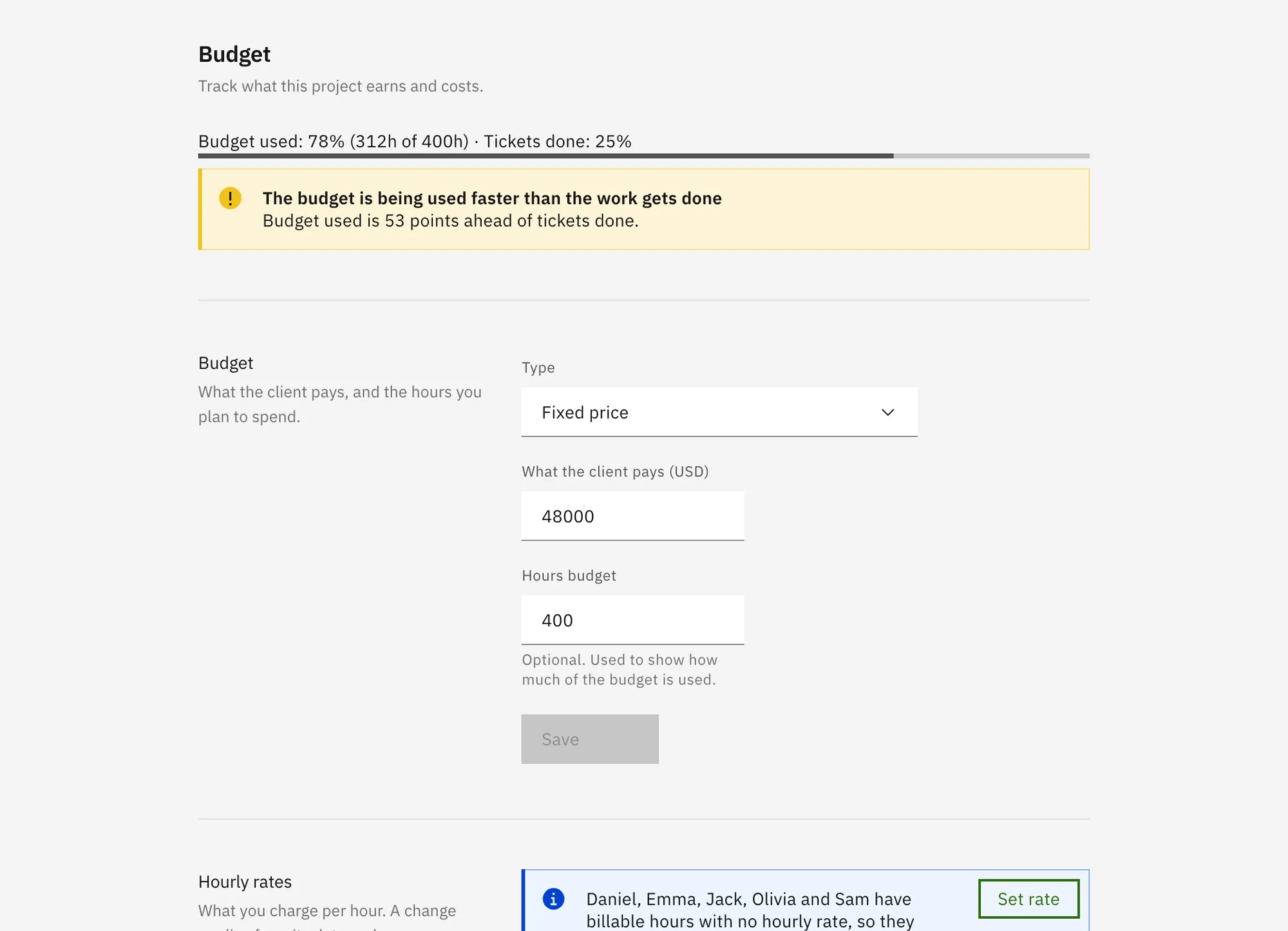
- Open the project's Settings, then Budget.
- Under Type, choose Fixed price or Hourly.
- Fill in what the client pays, and the Hours budget if you have one.
- Select Save.
- Under Hourly rates, add what you charge per hour for everyone or for one person, from a date, and select Add rate.
A rate change applies from its date and never changes hours already logged.
Read the warning
At the top of the budget, Sprinty compares how much of the budget is used with how many tickets are done. When the budget is ahead of the work by more than the gap you allow, you'll see The budget is being used faster than the work gets done, with how many points it's ahead. Going over 100% is always flagged.
The gap is 20 points unless you change it under Budget warning in Members & Settings → General, and the warning starts once 20% of the budget is used.