How to show clients project progress without writing status emails
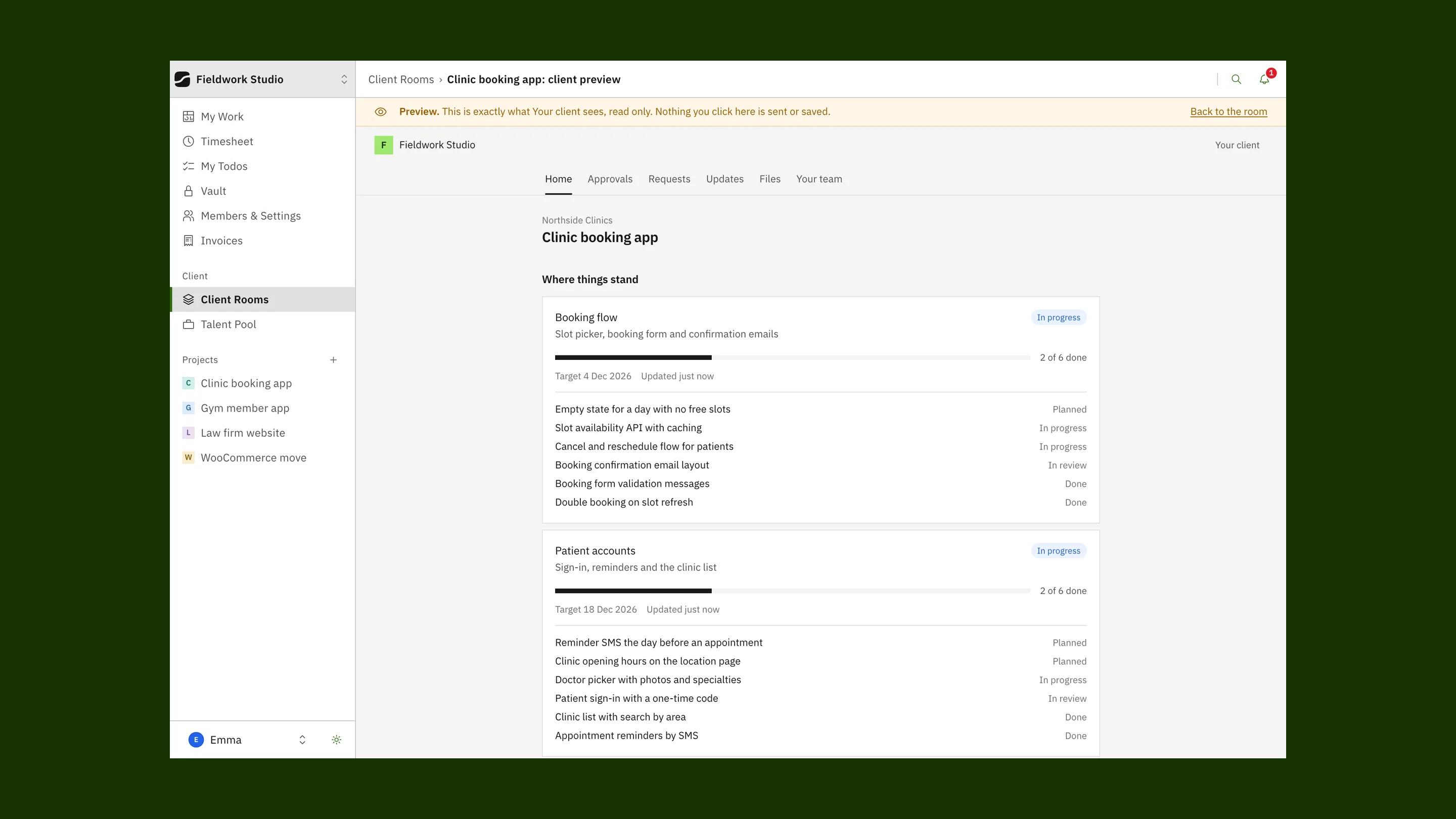
Every agency knows the Friday status email. Someone opens the board, counts what moved, rewrites ticket titles into plain English, attaches two files and sends it. An hour later the client replies with a question the email did not answer.
A client portal for agencies exists to replace that routine. Done well, it gives the client a better answer than the email did, and gives your team its Friday afternoon back.
Why status emails fail
They are out of date the moment they are sent. They depend on one person remembering to write them. And they answer the questions you guessed the client had. The ones they really have arrive on Monday.
What a client wants to see
Clients do not want your board. They want four things.
Are we on track? A clear view of what is done, what is in progress and what is next.
What do you need from me? Approvals, content, access and decisions waiting on them, in one list.
Where are the files? Designs, documents and builds, without searching through email.
How do I ask for something? One place to send a request, so it does not get lost in a chat.
What to keep private
A portal should show less than your team sees. Internal comments, estimates, time logs, other clients' work and your team's rough notes stay inside. If a tool cannot separate client-visible from internal, your team will stop writing honest comments, and the board gets worse.
Three ways to give clients visibility
A seat in your project tool. Simple, but the client sees too much, and in a per-seat tool you pay for every client login.
A shared document or spreadsheet. Free, but it is the status email again in another form. Someone still has to update it by hand.
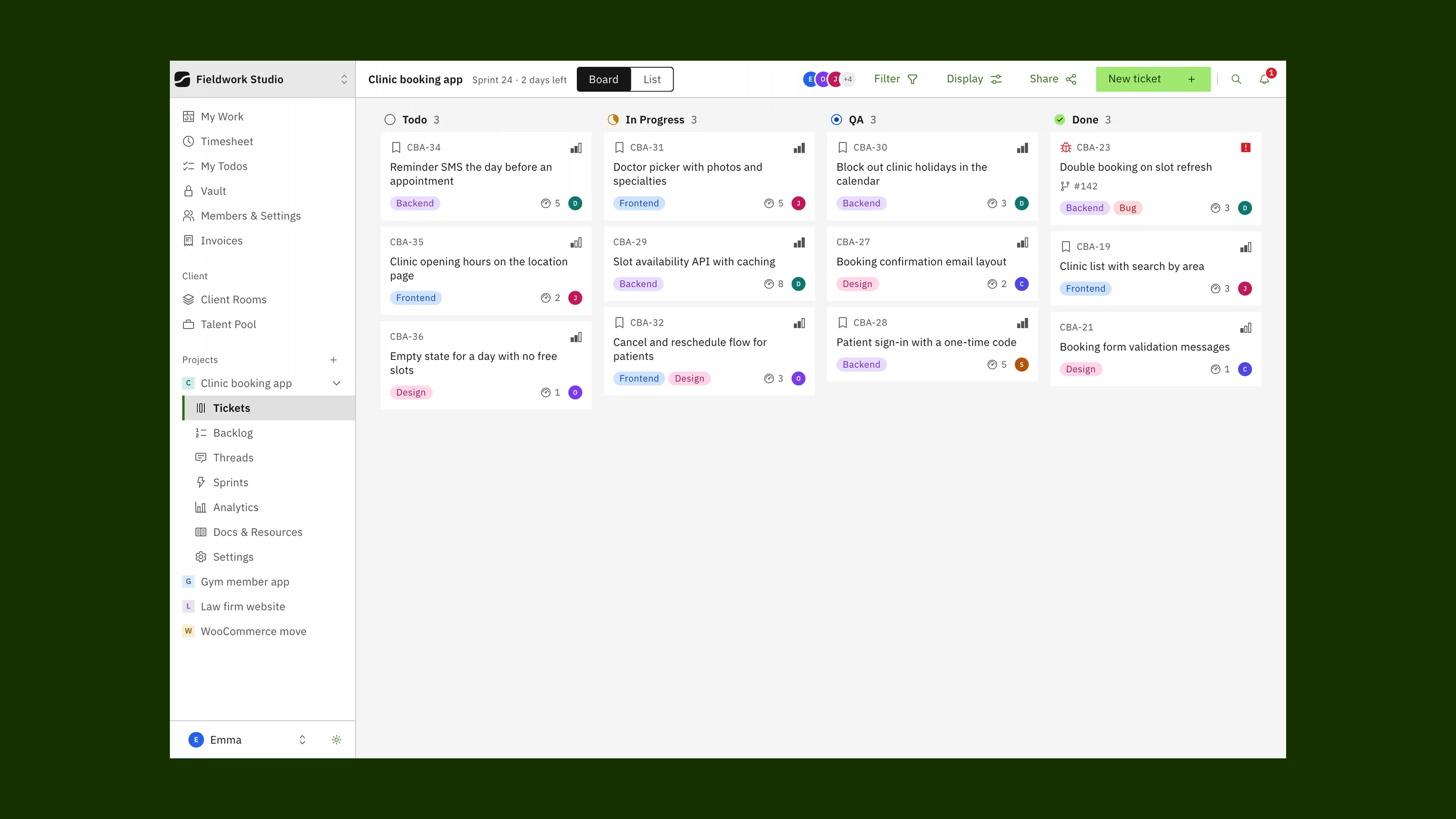
A client portal linked to the real work. The client view updates as tickets move. Nobody writes anything twice. This is the option that lasts.
Getting clients to use it
A portal only works if the client opens it. Three things help.
- Introduce it at kickoff, and show it on the first call.
- Send approvals through it from day one, so there is a reason to log in.
- Keep the weekly call, and open the portal on screen during it.
How a client portal for agencies works in Sprinty
Sprinty has two ways to share progress. A public board is a read-only link to a board, with no login, for clients who want to glance. A Client Room is a private space for one client: progress, files, approvals and requests, drawn from the same tickets your team works on. You choose what is client-visible, ticket by ticket.
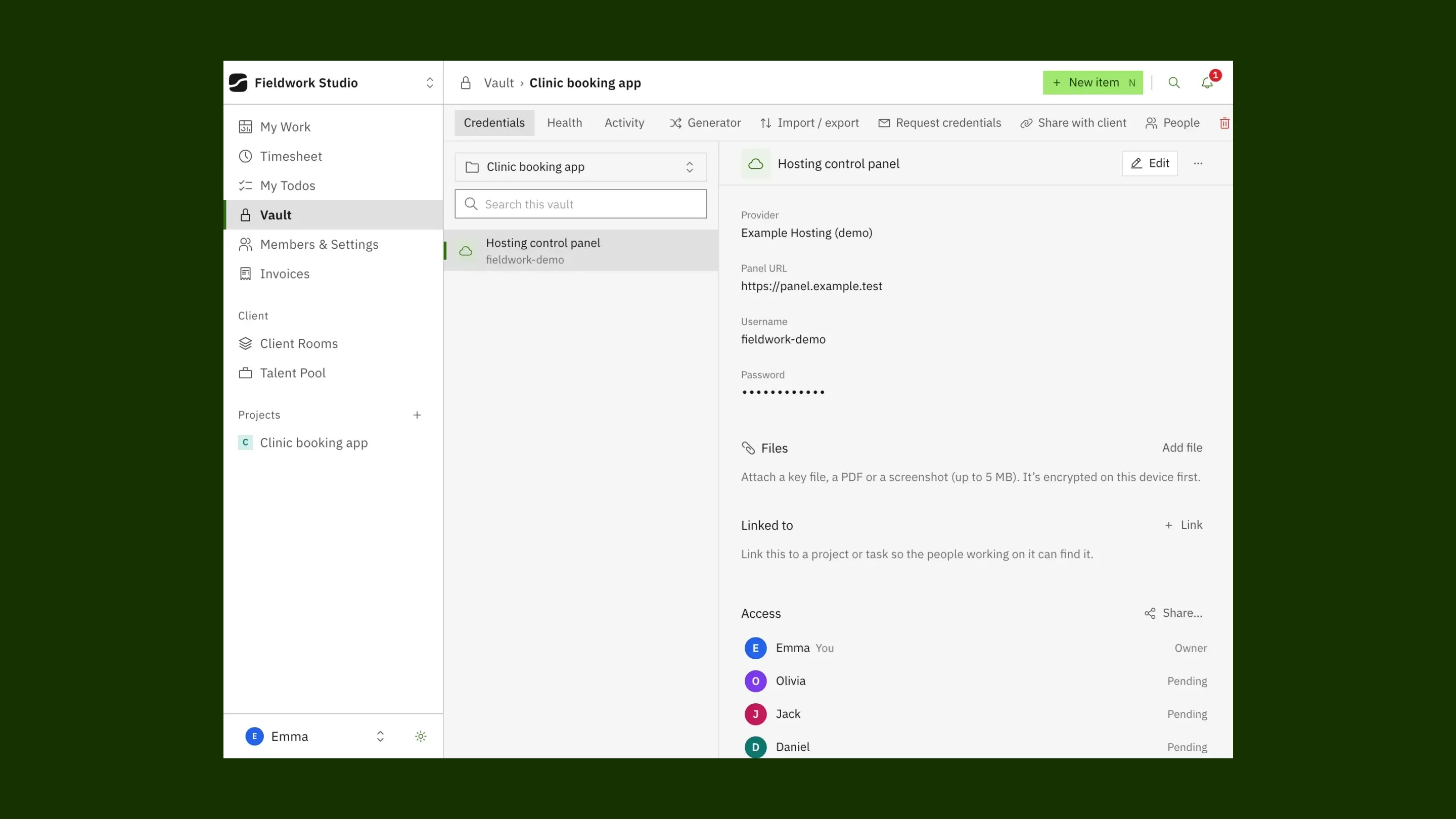
Clients are free. They can read, comment and send requests. They cannot see settings, your member list, billing, the Vault or time data.
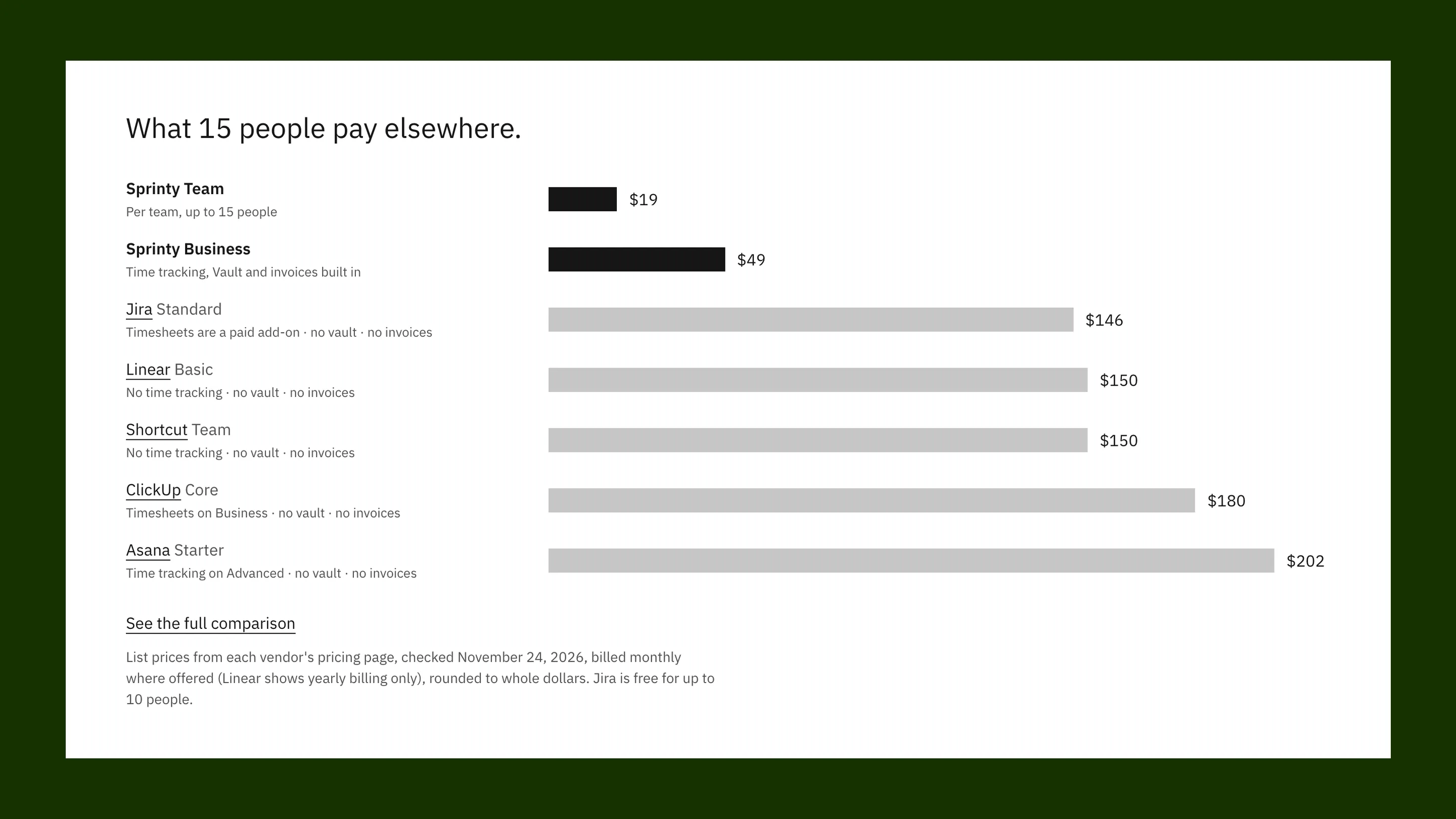
Client Rooms are on the Business plan at $49 a month for up to 30 people. New workspaces get Business free for 14 days with no card, which is enough to set up a Room and show it to one client. Start free.
Related reading: what project management software for agencies has to do and where an agency should keep client passwords. The pricing page shows which plan includes Client Rooms.
Keep reading
Run your next project in Sprinty.
Start free