Looking for a Jira alternative? Seven things to check first
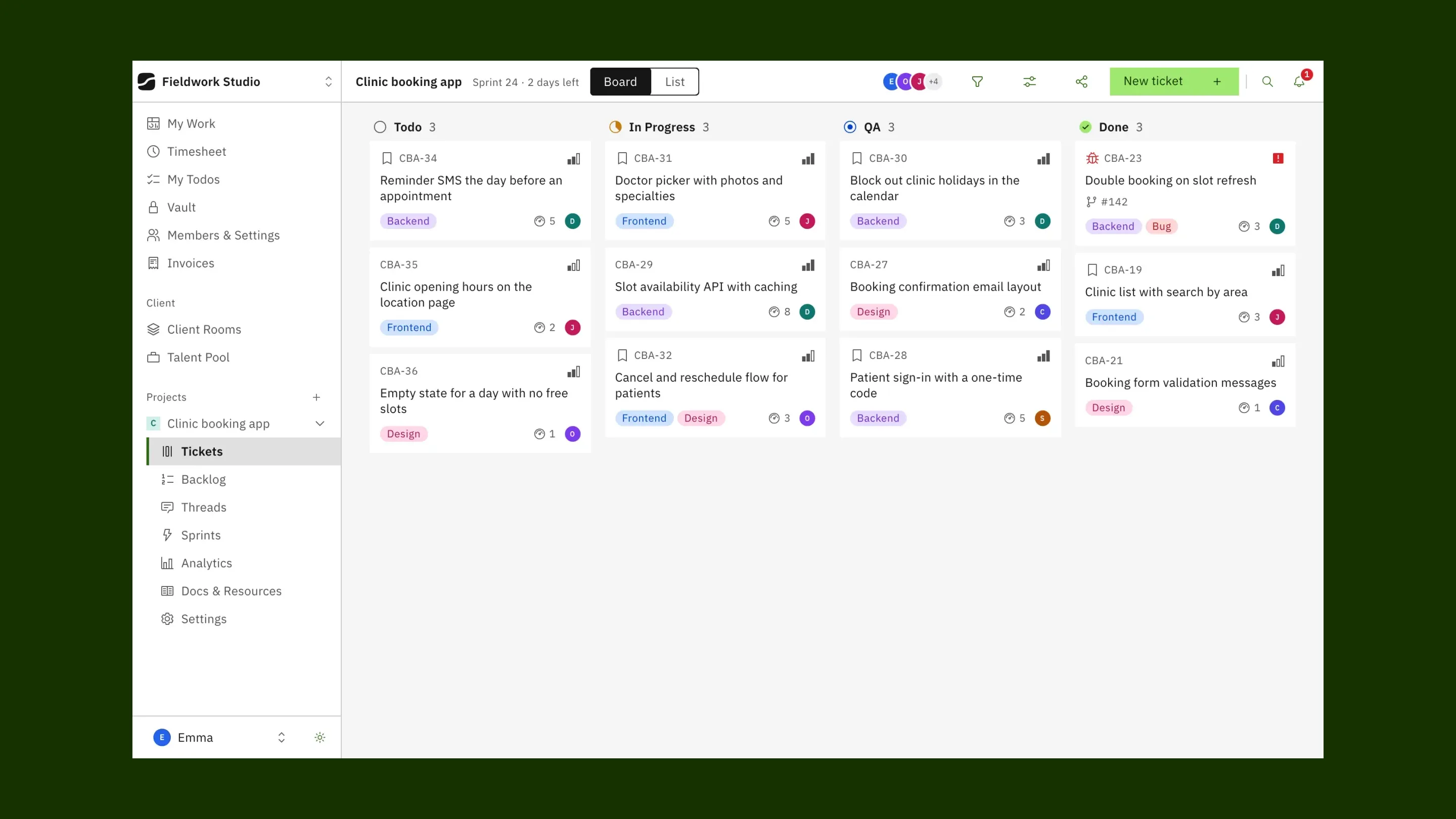
Most teams that search for a Jira alternative are not angry at Jira. It is a capable tool with a long track record. They are looking because the bill grew with every hire, because one person became the unofficial Jira admin, or because the features they need most turned out to be paid add-ons.
If that sounds familiar, here are seven things to check before you move. They apply to any alternative to Jira, including ours.
1. What happens to the price when you grow
Jira is free for up to 10 people. After that you pay per person, so the bill rises with every hire, and the eleventh person means paying for all eleven.
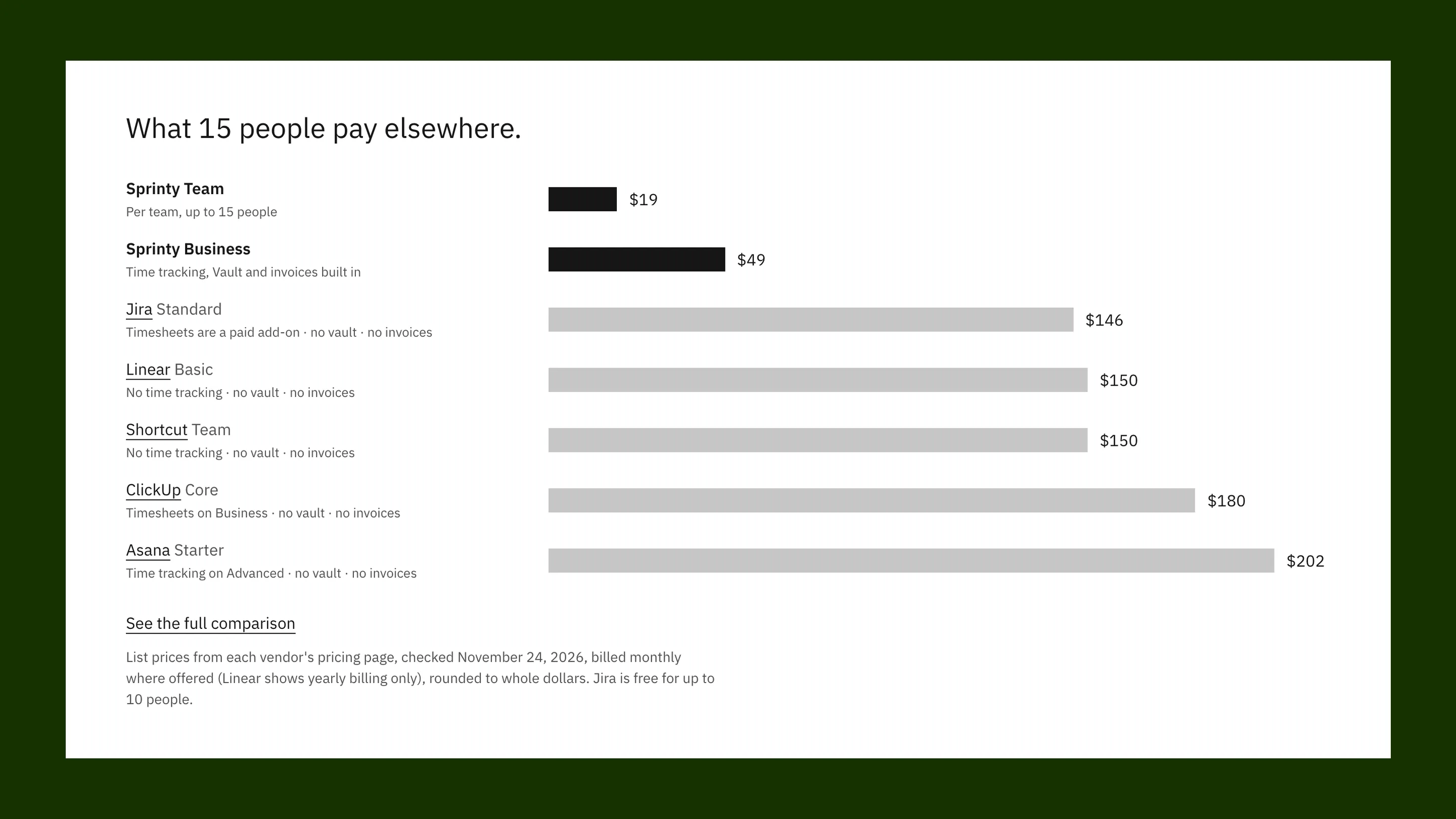
Ask each tool you look at the same question: what do we pay at 5 people, at 15 and at 30? Some charge per seat. Some charge a flat price per team. The difference at 15 people can be more than a hundred dollars a month.
2. What is included and what is an add-on
List what your team uses today, including the marketplace apps. Time tracking and timesheets are the usual surprise, because in Jira they often come from a separate app with its own per-user price. Then check where each item sits in the new tool: included, on a higher plan, or missing.
3. Who will look after it
Jira can model almost any workflow, and that power needs someone to manage it. If nobody on your team wants that job, look for a tool that works well with its defaults. A good test: can a new project be ready in ten minutes without opening a settings page?
4. Whether your history comes with you
Years of tickets, comments and sprints are worth keeping. Check that the new tool has a real Jira importer and read exactly what it brings across. Comments, attachments, epics, sub-tasks, issue links and finished sprints should all make the trip. Ask too whether you have to create API tokens, or whether you can connect by signing in.
5. Whether it can tell you where the time went
A board shows where a ticket is. It does not show how long it sat in review, or why a two-day job took two weeks. If that question comes up in your retros, check whether the tool records time in each status and who touched the ticket along the way.
6. How clients and contractors fit
If people outside your team need to see progress, find out how they are counted. In a per-seat tool, every client login can be another paid seat. Look for free guest access with sensible limits on what guests can see.
7. Whose AI you are paying for
Many tools now sell their own AI as an extra. If your team already pays for Claude, ChatGPT or Gemini, check whether the tool lets you connect that instead. It usually works better, and you pay once.
Where Sprinty fits as a Jira alternative
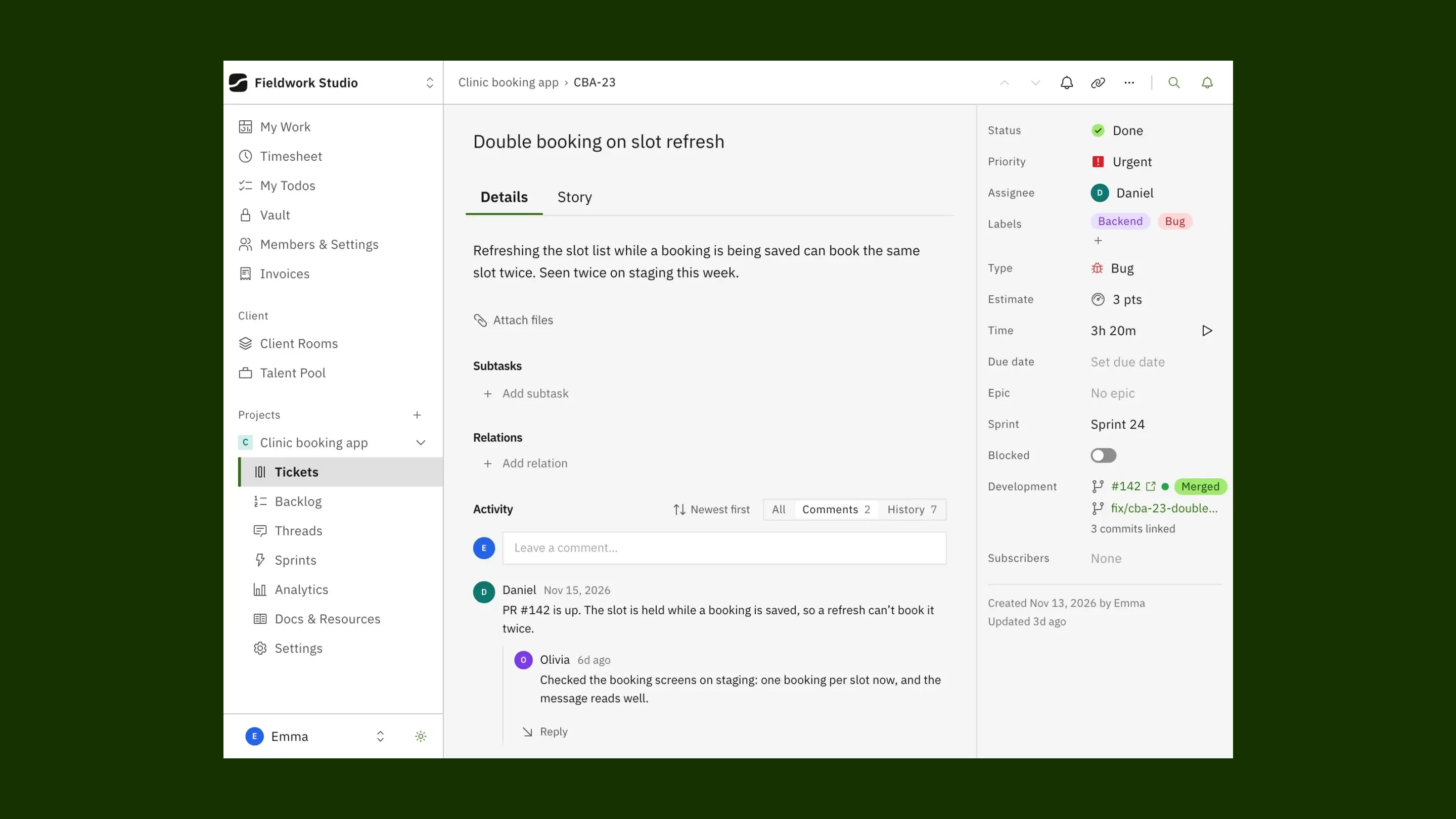
We built Sprinty for teams asking these questions. It costs $19 a month for up to 15 people and $49 a month for up to 30, so the price does not change when you hire. Boards, sprints, backlog, docs, GitHub on tickets and the Jira importer are on every plan, including Free. Time tracking, budgets and ticket history are built in on Business. Clients and guests are free. You can connect your own AI on Team and Business.
It will not suit everyone. If you rely on a large set of Jira marketplace apps or deep custom workflows, Jira may still be the right home.
The full plan details are on the pricing page, and the Jira import guide lists exactly what comes across. You can start free and import a project the same afternoon.
Related reading: how to migrate from Jira without losing your history and what Jira, Linear, ClickUp and Asana cost a 15-person team.
Keep reading
Run your next project in Sprinty.
Start free